
Project Online Migration for Government and Regulated Teams

Updated: Sep 4
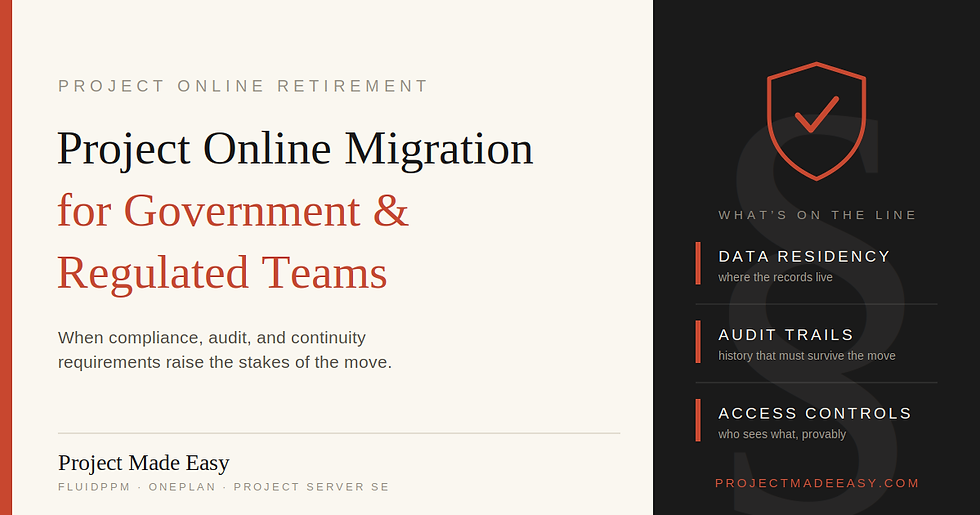
Microsoft Project Online retires on September 30, 2026. For government and regulated teams, this is more than a software swap. You have data rules, security needs, and audit trails to protect. The right path keeps your data compliant and in your control. Often that means Project Server SE. But not always. Here is how to choose.
Project Made Easy works with public-sector and regulated clients. We are SBA 8(a) certified and hold GSA, MBE, and OMWBD credentials. We understand the rules you work under. Not just the technology.
Why migration is different for regulated teams
Most migration advice is written for private companies. Their biggest worry is cost and speed. Yours is bigger.
You have to protect where your data lives. You have to meet security and compliance rules. You have to keep clean audit trails. A wrong move can mean a failed audit. Not just a slow project.
So your first question is not "which tool is cheapest?" It is "which path keeps us compliant?" That changes everything about the choice.
What happens to your data when Project Online retires
After September 30, 2026, access to Project Online ends. Your projects, schedules, and history go with it. You must move your data before that date. And you must keep your own backups.
For regulated teams, one detail matters most. You need to control where that data goes. A public cloud tool may not meet your rules on data residency or security. So the path you pick has to fit your compliance needs first.
The main paths for regulated teams
You have a few options. Here is how they compare for government and regulated work.
Path | Data control | Best for |
Project Server SE | You host it (on-premises or your own Azure) | Teams that must keep data in-house |
Microsoft Planner (Premium) | Microsoft cloud | Light needs, if cloud is allowed |
OnePlan | Cloud platform | Large portfolios, if cloud is allowed |
FluidPPM | Runs in your Microsoft environment | Teams wanting modern tools inside their own tenant |
Project Server SE — the on-premises option
Project Server SE is the closest match to Project Online. It keeps the familiar Project experience. And it gives you the most control over your data.
You can run it on-premises. You can run it in your own Azure. That means your data stays where your rules require. For many government, defense, and healthcare teams, this is the deciding factor.
The trade-off is ownership. You host it and maintain it. That means servers and updates to manage. But for teams that must keep data in-house, that control is the point.
When a cloud path can still work
Not every regulated team needs on-premises. Some can use a cloud path if it meets their security rules.
Microsoft Planner and OnePlan are cloud tools. FluidPPM runs inside your own Microsoft environment, which keeps your data closer to your control. If your rules allow a compliant cloud, these can modernize your setup.
The key is to check your rules first. Then match the tool to them. Never the other way around.
How to choose your compliant path
Start with your rules, not the tool. Ask these questions first:
Where must your project data physically live?
What security standards must the platform meet?
Do you need full audit trails and access controls?
Can any data sit in a public cloud, or none at all?
How much project history must you keep and protect?
Your answers point to the right path. Strict data-residency rules point to Project Server SE. More flexible rules may open up a compliant cloud option.
Not sure where you land? Our Migration Readiness Calculator helps you map your needs in a few minutes.
How a safe migration works
A good migration follows a clear, careful process. At Project Made Easy, we use the same seven steps every time:
Review your current environment. We learn your setup, data, and compliance needs.
Run a gap analysis. We find what is missing and what must change.
Map your data. We plan where each record goes, safely.
Configure your new solution. We set it up to fit your rules.
Migrate your data. We move everything and check it twice.
Train your team. We teach your people the new tool.
Provide ongoing support. We stay available after the move.
For regulated teams, the mapping and configure steps matter most. This is where compliance is won or lost. Rushing them is the biggest risk.
Why a vendor-neutral partner matters here
Most migration vendors sell one product. So their advice always points to that product. For a regulated team, that is a real risk. You could end up with a tool that does not meet your rules.
Project Made Easy sets up all the main paths. We have supported government and regulated clients, including state and municipal agencies. We have run 250+ deployments and trained 2,000+ project managers over 18+ years. As a Microsoft Solutions Partner, we help you pick the path that fits your rules. Even when it is not ours.
For the full retirement picture, see our Project Online retirement migration plan. To review our public-sector credentials, see our contract vehicles page.
Frequently asked questions
What is the best Project Online replacement for government teams?
It depends on your data rules. Project Server SE is often the best fit because you host it on-premises or in your own Azure. That keeps your data in your control. If your rules allow a compliant cloud, other paths may work too.
Can government teams keep Project Online data on-premises after retirement?
Yes. Project Server SE lets you run your project platform on-premises or in your own Azure. This is a common choice for teams with strict data-residency rules.
What happens to regulated project data when Project Online retires?
After September 30, 2026, access to Project Online ends. You must move and back up your data before then. For regulated teams, you must also make sure the new platform meets your security and compliance rules.
How long does a government migration take?
It depends on your data size, security needs, and complexity. Regulated migrations often need more time for compliance checks. Starting early gives you room to test and stay safe.
The four main alternatives are Microsoft Planner, Project Server SE, OnePlan, and FluidPPM. Planner suits small teams. Project Server SE suits regulated teams. OnePlan suits large portfolios. FluidPPM suits teams that want AI and modern reporting.
Why choose Project Server SE over Planner after Project Online retirement?
Choose Project Server SE if you need the full Project experience. Choose it if you must keep data on-premises. Planner is lighter and simpler. But it is not a full replacement. Project Server SE is the closest like-for-like option.
Is Microsoft Planner a full replacement for Project Online?
No. Planner Premium works for small, simple projects. But it caps custom fields at ten. It has no central resource pool. It offers no portfolio rollups. Larger PMOs often need more.
How long does a Project Online migration take?
It depends on your data size and how complex it is. A simple move can take weeks. A complex enterprise move takes longer. Start early. It gives you room to test and fix issues before the deadline.
Is Microsoft Planner secure enough for government use?
It depends on your specific rules. Planner is a cloud tool. Some teams can use it under their compliance framework. Others need an on-premises option like Project Server SE. Check your rules first.
Ready to plan a compliant migration?
Not sure which path meets your rules? Let's map it together. Project Made Easy helps government and regulated teams migrate off Project Online safely with data control and compliance first.
Schedule a free consultation and get a clear, honest plan before the September 30, 2026 deadline.


Comments