
Project Online Workflows Retirement: What Happens to Your SharePoint Stage Gates

Updated: Sep 14
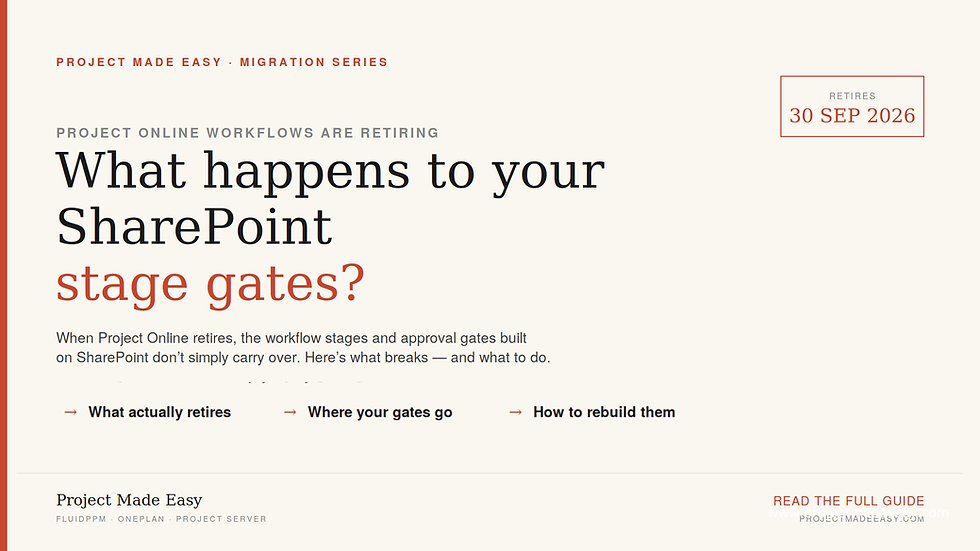
Microsoft Project Online retires on September 30, 2026. Most teams focus on the data and the project schedules. But there is a quieter problem that catches them off guard: their workflows.
If your organisation runs SharePoint-based approvals, stage gates, or status flows inside Project Online, there is something you need to know: those workflows have already stopped working. They were retired on April 2, 2026 ahead of the main shutdown and they do not carry over to whatever you move to next.
This guide explains what happens to Project Online workflows, when it happens, and how to rebuild them on a modern platform.
"Workflow retirement is one piece of a bigger deadline — see the full Project Online retirement migration guide for the complete timeline and your migration options."
What "workflows" means in Project Online
In Project Online, workflows are the automated rules that move a project through its lifecycle. Teams use them most often for:
Stage gates - a project cannot move from "Proposed" to "Approved" until someone signs off.
Approvals - routing a project, timesheet, or change request to the right person for a decision.
Phase transitions - updating status, notifying owners, or locking fields when a project moves between phases.
These run on SharePoint 2013 workflows. That is the engine Project Online uses, and it is the root of the problem.
Why Project Online Workflows Retired First
The SharePoint 2013 workflow platform was on Microsoft's retirement path for years. Microsoft turned it off for new tenants in April 2024. It was removed from existing tenants and fully retired on April 2, 2026. That was months before Project Online's own September 30, 2026 shutdown.
Project Online's workflows were built on this engine. So they were among the first things to break. They did not quietly keep running until the final date — they stopped this past April.
In practice, this means three things:
No new workflow capability. You cannot build or extend SharePoint-based workflows in Project Online now.
Approvals and stage gates stop working. On April 2, 2026, Microsoft removed SharePoint 2013 workflows from existing tenants. Automated transitions stop firing from that date.
No automatic migration. Your workflows do not move with you to a new platform. You have to rebuild them.
The mistake teams make: treating workflows as an afterthought
When teams plan their move off Project Online, the schedule and the historical data get all the attention. Workflows get pushed aside — "we'll sort those out later." This is the step that most often breaks a migration timeline.
Here is why. Your stage gates and approvals hold the rules for how your organisation governs projects. A schedule is just data you can export. A stage gate is a business rule. It defines who approves what, in what order, and under what conditions.
Nobody writes that down in one place. It lives inside the workflow setup. When the workflow goes, that governance logic goes with it. The only way to keep it is to capture it and rebuild it first.
What to do now
The April workflow retirement has passed, but the bigger deadline has not: Project Online itself shuts down on September 30, 2026. If you have not moved yet, your workflows still need rebuilding on your new platform. The work splits into two parts: capture what you can, then rebuild.
1. Capture what is left of your workflows
If you moved off Project Online before April, you may already have your workflow definitions documented. If you did not, the automated logic is gone — but you can still reconstruct it from what remains. Document every workflow your team relied on. For each one, record:
What triggered it (a status change, a date, or a manual action)
What it did (routed an approval, locked a field, sent a notice, or advanced a stage)
Who the approvers were, and in what order
Any conditions or branching logic
Your team's memory, old screenshots, and any existing process documents are your best sources now. If your tenant still has the records, Microsoft's free Microsoft 365 Assessment tool can help identify where SharePoint 2013 workflows existed.
This inventory is the blueprint you rebuild from. And it helps no matter which platform you pick.
A hard truth about timing. Once SharePoint 2013 workflows were turned off in April, their definitions became unrecoverable in the usual way — SharePoint Designer can no longer open them, and the logic was never saved as a file you can restore. If that information was not captured, you are rebuilding from knowledge, not from a backup.
2. Choose where the workflows will live next
There is no single replacement for SharePoint 2013 workflows. The right home depends on where you move the rest of your PPM setup:
Power Automate — Microsoft's modern workflow engine. It handles approvals and notices well. But you have to design stage-gate logic from scratch. It does not lift across.
Planner Premium / Project for the web — good for lighter task and plan management. On its own, it does not replace enterprise stage-gate governance.
Project Server Subscription Edition — the closest like-for-like if you need advanced PPM on Microsoft infrastructure.
A dedicated PPM platform — purpose-built tools that include governance and workflow in the product. You do not assemble it from parts.
3. Rebuild and test before you switch
Rebuild your workflows on the new platform using your inventory. Then test each one against real cases before you retire the old setup. If Power Automate is your destination, our Power Automate implementation services can help rebuild approval and stage-gate logic the right way.
One warning: an approval that silently fails to route is worse than no workflow at all. People assume the sign-off happened when it did not.
Where FluidPPM fits
Maybe you would rather not rebuild governance from scratch on a general-purpose tool. This is where a dedicated platform earns its place. FluidPPM is a modern PPM solution built on the Microsoft Power Platform. It handles project governance, approvals, and workflow as part of the product, not as a separate build.
This matters most if your biggest migration risk is losing stage-gate logic. You do not have to rebuild every approval flow in Power Automate by hand. The governance structure is already there to set up. It is one of the four realistic paths off Project Online - and the one that most directly solves the workflow problem this article is about.
The bottom line
Project Online's workflows are not a "deal with it later" task. They run on a retiring engine. They will not migrate on their own. And they hold governance logic that exists nowhere else.
Start the inventory now. Decide where the workflows will live next. Then rebuild and test well before the deadline.
Want the full picture of your options? See our complete guide to Project Online retirement for the dates, the data, and all four migration paths.
Frequently asked questions
Is Microsoft Project Online going to be retired?
Yes. Microsoft is retiring Project Online on September 30, 2026. After that date, you lose access to your projects, schedules, and data in the service. The workflows inside it stopped even earlier the SharePoint 2013 engine they run on was turned off on April 2, 2026.If you are still migrating, address the workflows first — they have already stopped firing.
Is SharePoint getting deprecated?
Not all of SharePoint but the SharePoint 2013 workflow engine is gone. Microsoft removed it from existing tenants on April 2, 2026. That engine is what Project Online used for approvals and stage gates, which is why those stopped working before the main shutdown.
What replaces Project Online workflows?
There is no single replacement. Power Automate is Microsoft's modern workflow engine and handles approvals well, but you rebuild stage-gate logic from scratch. Project Server Subscription Edition is the closest like-for-like. Dedicated PPM platforms like FluidPPM include governance and workflow built in, so you do not assemble it from parts.
Do my workflows migrate automatically when I move off Project Online?
No. Workflows do not carry over to any new platform. You have to rebuild them. That is why you should document them first.
What happens to my existing projects and data when the workflows stop?
Your project records stay until the final retirement date. But the automation around them - the approvals and stage transitions - stops working. The data is safe to export. The governance logic around it is what you lose.


Comments